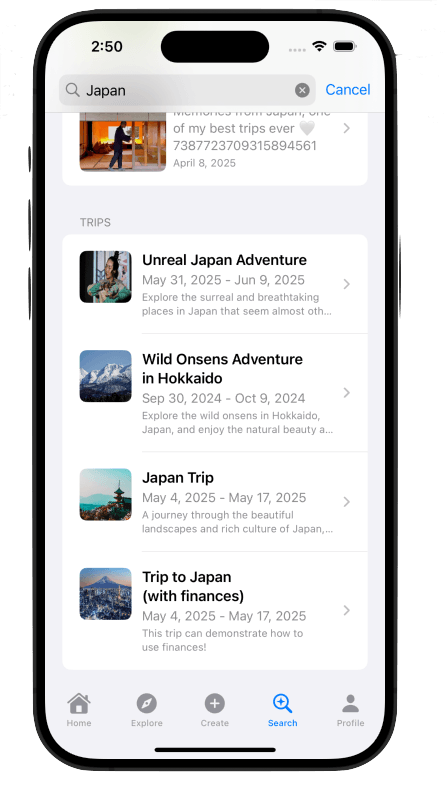
How to Search Destinations
Travvy offers a variety of ways to search for things related to a destination. You can search trips, explanations of destinations, and posts people have made about the destination. See the steps below to learn how to search through destinations!
Features
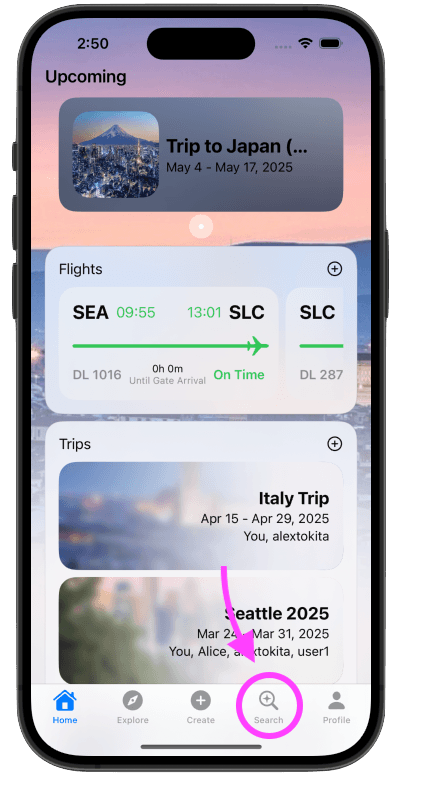
Step 1: Navigate to the Search Tab
Find the search tab in the bottom navigation bar with a magnifying glass icon. Click this icon to navigate to the search tab.
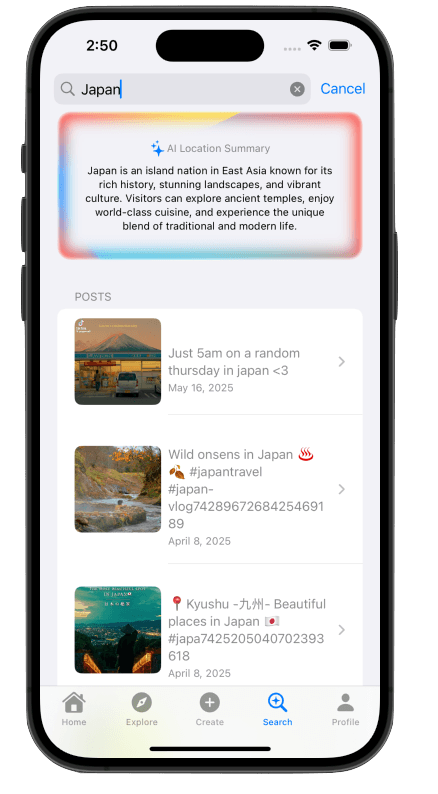
Step 2: See AI Explanation and Relevant Social Feed Posts
Type in a term into the search bar. An AI explanation of the destination or activity will appear, along with relevant social feed posts. You can scroll through these posts to see if any of them are related to your search term. If no AI explanation appears, then the system may have deemed the term irrelevant to a particular destination or activity.
Step 3: See Trips Related to the Search Term
With the same term searched, scroll down to see trips relevant to the search term. If no trips appear, then there may not be any publicly available trips related to the term.