Explore Travvy's Social Features
Travvy provides a built-in social media experience for users to be inspired by the trips and travel experiences of others. Users can share their trips, itineraries, and travel tips with the Travvy community. Follow the steps below to explore Travvy's social features!
Features
Step 1: Navigate to the Explore Page
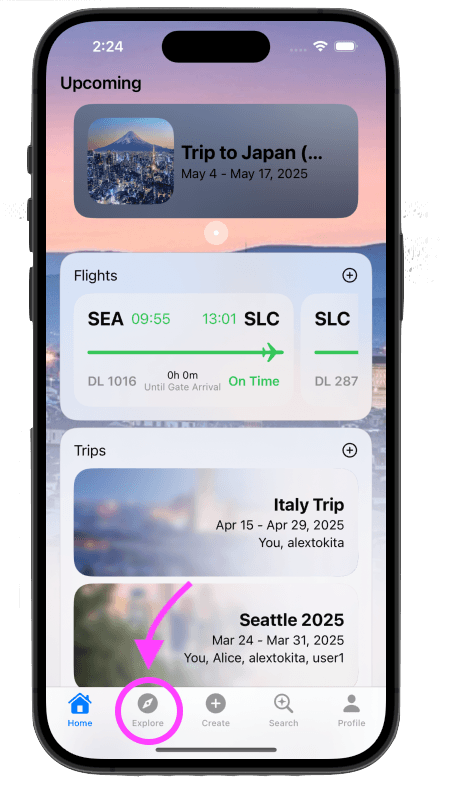
Click the "Explore" button in the bottom navigation bar. This will take you to the explore page, where you can see all the latest posts from your friends and other users.
Step 2: View Posts in the Social Feed
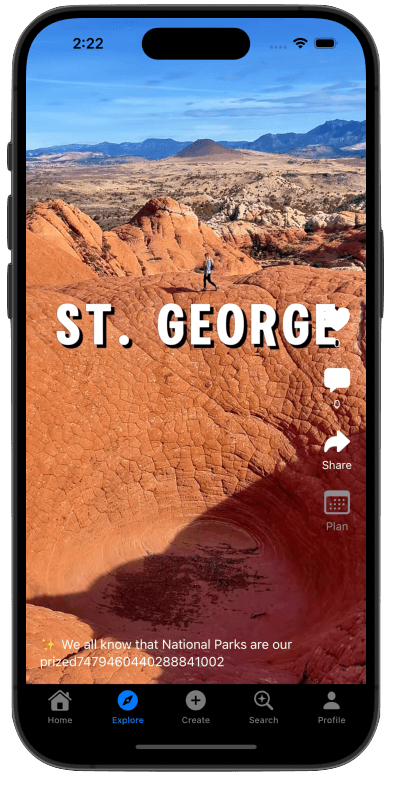
In the Explore page, you will be fed posts based on the posts similar to those that you've previously interacted with positively with. To do so, the recommendation algorithm observes the posts you've liked and watched, and tries to match you with posts that have similar post contents!
Step 3: Like and Comment on Posts
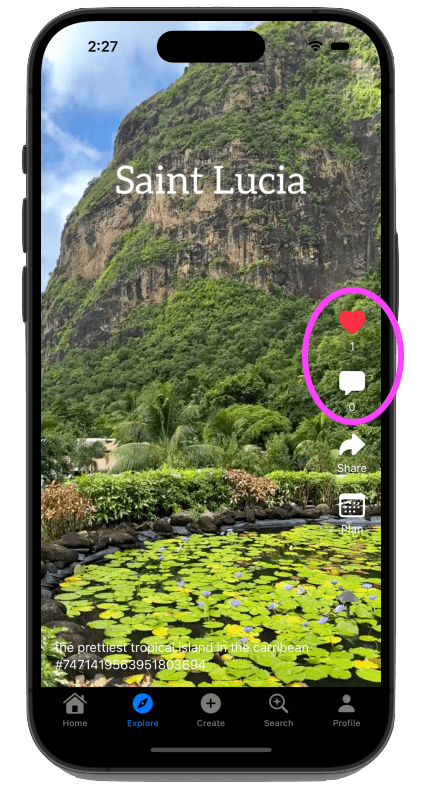
For any post, you can add a like by double tapping on the screen or by clicking the heart icon on the right. You can view and add comments by clicking on the speech bubble icon on the right.
Step 4: Import Activities from Others' Itineraries into Your Own
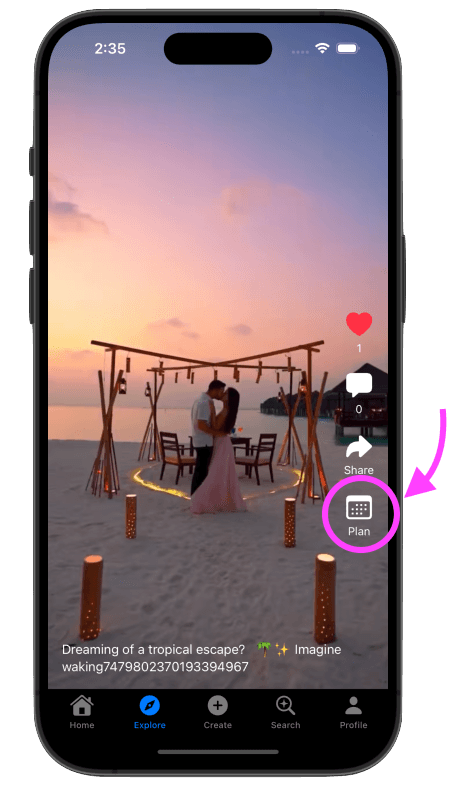
If there's a post about a trip that catches your eye, there may be an attached itinerary that you can view! If the "Plan" button is not grayed out, you can click it to see the poster's itinerary and then import activity items into your own itineraries!
Step 5: Create and Upload Your Own Posts
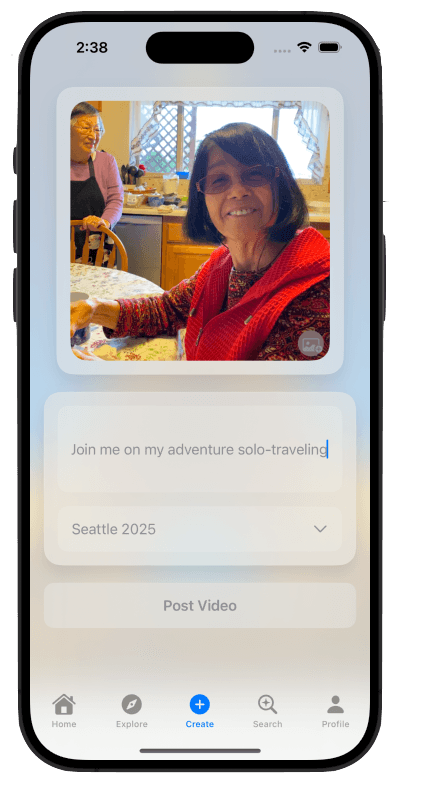
Go to the "Create" tab in the bottom navigation bar. This will take you to the create page, where you can create a post about your trip! You can add a description and the video. Once you're done, click "Post Video" to share your post with the world!