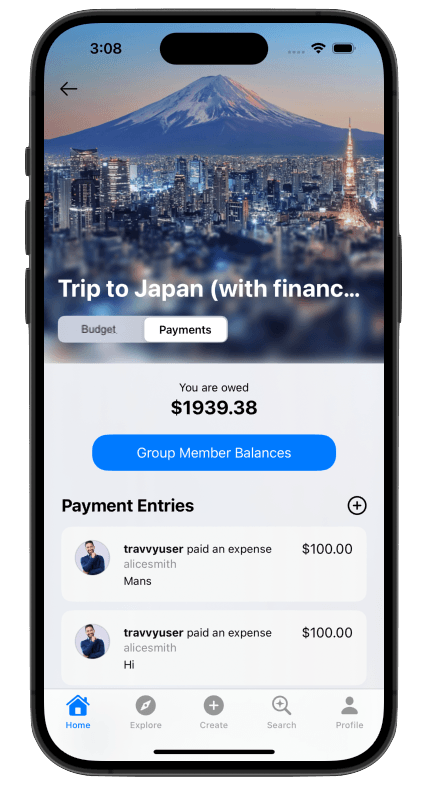
How to Use Trip Finance Tools
There are two primary finances tools to use: the budgeting tool and the payment tracker tool. The budgeting tool is used to think about trip finances prior to embarking on a trip. The payment tracker tool is primarily intended for group travelers to use. It is used to track payments made during the trip and to determine how much each traveler (within a group) owes.
Features
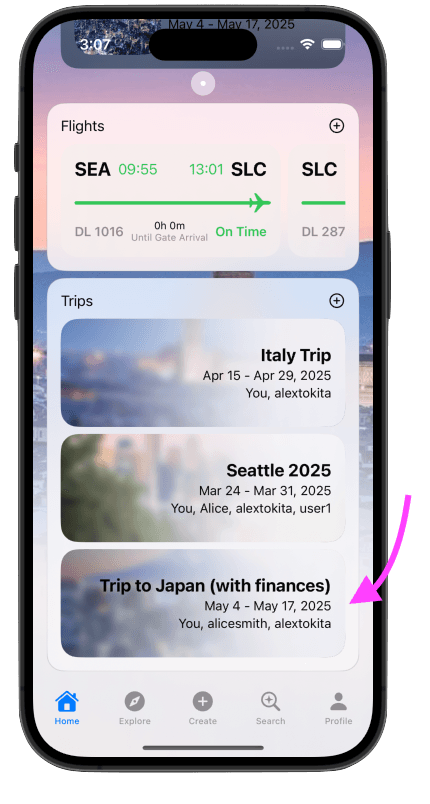
Step 1: Pick the Trip You'd Like to Use the Finance Tools On
An itinerary can be made for a trip, but first, a trip must be made! Sroll down until you see your "Trips" tab, and then click the plus button.
Step 2: Click the Finance Icon
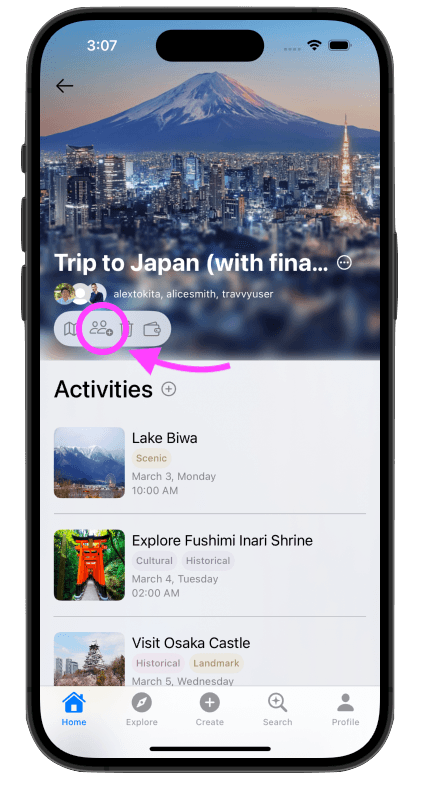
The finance tools for each trip can be found by clicking on the icon that looks like a wallet. This will take you to the finance tools page for that trip.
Step 3: Use the Budgeting Tool
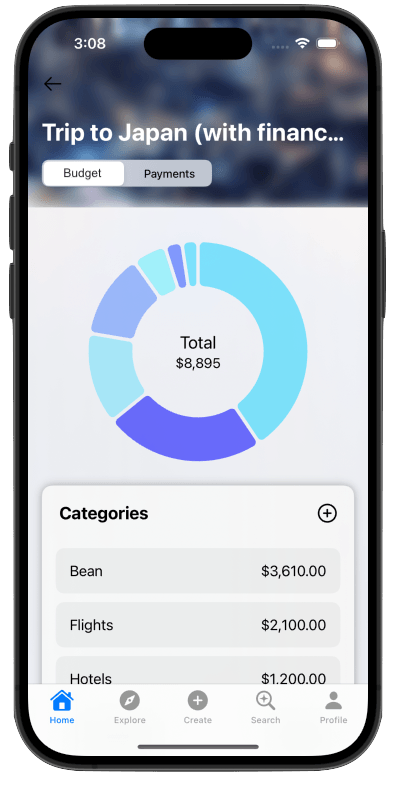
The budgeting tool can be used by creating budget categories and setting amounts for each category. Trip-goers can use the budget tool to come to agreements regarding expected costs.
Step 4: Use the Payment Tracker Tool
The tracker tool can be used to track expenses and payments made between trip goers. The ultimate goal of this tool is to be able to keep track of how much each group member owes or is owed.